If you're doing adult work in Munich, your biggest threat isn't the police or clients-it’s your own digital footprint. One leaked photo, one misconfigured profile, one phishing email can destroy your career, your reputation, even your safety. Most people think privacy means hiding their face or using a pseudonym. That’s not enough. In 2026, the real risks are hidden in plain sight: your phone’s location history, your email linked to your AdultWork profile, your Wi-Fi network at home, even your social media habits.
Why Privacy in Munich Is Different
Munich has strict data protection laws under the EU’s GDPR, and local authorities are increasingly cracking down on unregistered adult services. But the real danger isn’t legal-it’s exposure. A client might screenshot your profile and share it. A hacker might breach AdultWork’s database (yes, it’s happened before). Your own device might be compromised through a fake app or a public Wi-Fi hotspot at a café near Marienplatz.Unlike in other cities, Munich has a high concentration of expats and international clients. That means your profile could be viewed by someone from your home country, your former employer, or even a family member. You need more than just a fake name-you need a full digital separation strategy.
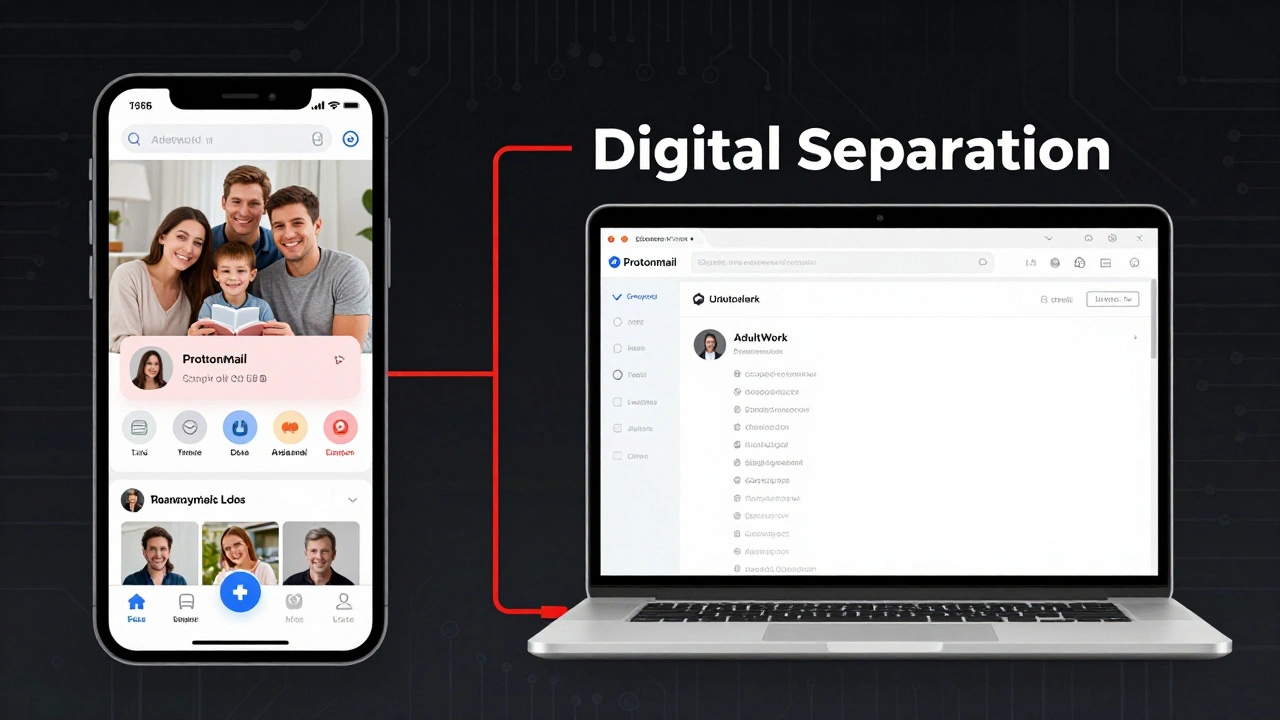
Separate Your Digital Identity Completely
Start with the basics: never use your real name, address, phone number, or email on AdultWork or any other platform. Use a dedicated email service like ProtonMail or Tutanota. These are encrypted, don’t require personal info, and won’t link to your Google or Apple account.Set up a new phone number using a virtual service like Google Voice or a local German prepaid SIM from O2 or Vodafone. Don’t use your personal phone. If you’re using a burner phone, never charge it at home. Use a power bank in a different neighborhood.
On your computer and phone, create a separate user profile just for adult work. Don’t log into your personal accounts from it. Install a clean browser-Brave or Firefox with strict privacy settings-and never save passwords. Use a password manager like Bitwarden, but only on your main device. Never sync it across devices used for work.
Lock Down Your AdultWork Profile
Your AdultWork profile is your storefront. But it’s also a digital fingerprint. Here’s how to make it safer:- Use a profile photo that doesn’t show tattoos, jewelry, or background details (like posters or book titles) that could be traced to your home.
- Never mention your neighborhood, street name, or nearby landmarks (e.g., “just off Sendlinger Tor”).
- Disable location tagging in your browser and app settings. Even if you don’t post a photo with GPS data, your browser might leak it.
- Use a VPN every time you log in to AdultWork. NordVPN or Mullvad work well. Never use free VPNs-they sell your data.
- Change your profile password every 30 days. Use a 16-character random string generated by a password manager.
Also, avoid posting videos. They contain metadata, background sounds, and subtle visual cues that facial recognition tools can use to identify you-even if your face is blurred.
Secure Your Communication Channels
Texting clients on WhatsApp or Telegram is risky. Those apps store messages on their servers. Even end-to-end encryption doesn’t stop a compromised device.Use Signal. It’s open-source, doesn’t collect metadata, and lets you create a secondary number linked to your work email. Set your profile to “invisible” so no one can see your last seen status or profile picture unless you message them first.
For scheduling, use a third-party booking tool like Calendly, but only with a custom domain (e.g., book.youralias.com). Never use your real name in the URL. Disable all analytics and cookies. Don’t connect it to your Google account.
Protect Your Home and Devices
If you work from home-or even just meet clients there-you need physical and digital security.- Use a Faraday pouch for your phone when not in use. It blocks all signals-calls, texts, GPS. You can buy one for under €20 on Amazon.
- Turn off your home Wi-Fi when you’re not using it. Use a smart plug to schedule it on only during work hours.
- Never use the same laptop for adult work and personal tasks. Buy a used laptop from a thrift store, wipe it clean, and install Linux (like Ubuntu). It’s harder to track than Windows or macOS.
- Install a firewall like Little Snitch (Mac) or GlassWire (Windows). It alerts you if any app tries to send data out without your permission.
Also, avoid using smart devices like Alexa or Google Home. They’re always listening. Even a smart thermostat can leak your location.
What to Do If Something Goes Wrong
Even the best precautions can fail. A client might threaten to expose you. A hacker might steal your data. Here’s what to do immediately:- Stop all communication. Don’t reply. Don’t argue.
- Change every password linked to your work identity-email, AdultWork, Signal, banking.
- Report the threat to AdultWork’s support team. They have a private reporting system for safety emergencies.
- If you’re in Germany, contact Bundespolizei’s cybercrime unit. They handle digital harassment and blackmail cases involving adult workers.
- Reach out to Prostitution Info e.V., a Munich-based NGO that offers legal advice and emergency support to sex workers.
Don’t wait until it’s too late. The moment you feel unsafe, act. Silence won’t protect you.
Common Mistakes (And How to Avoid Them)
Most people think they’re safe because they don’t show their face. That’s not true. Here are the top five mistakes I’ve seen:- Using the same photo across platforms-Instagram, TikTok, AdultWork. Facial recognition tools match them in seconds.
- Posting from public Wi-Fi-Coffee shops in Munich have unsecured networks. Hackers monitor them for login data.
- Reusing passwords-If your email is breached, your AdultWork account is next.
- Sharing personal stories-Mentioning your hometown, school, or pet’s name gives attackers clues to guess your identity.
- Believing “no one will find me”-Search engines archive everything. Even deleted profiles can be recovered from cached versions.
One worker in Munich got doxxed because she posted a photo with a coffee cup from a café near Karlsplatz. Someone recognized the cup design, matched it to a store in her hometown, and traced her name through old university records. It took three months to get her profile removed from search results.
Tools You Need Right Now
Here’s a quick list of what to install today:- VPN: NordVPN or Mullvad
- Email: ProtonMail or Tutanota
- Phone: Google Voice or Vodafone prepaid SIM
- Messaging: Signal
- Password manager: Bitwarden
- Browser: Brave with ad-blocker and tracker blocker enabled
- Device: Used laptop with Linux installed
- Signal blocker: Faraday pouch
None of these cost more than €100 total. And they’re cheaper than the cost of being exposed.
Final Thought: Privacy Is a Habit, Not a Feature
You can’t just set up privacy once and forget it. It’s like locking your doors every night. If you skip it once, you’re vulnerable. Check your settings weekly. Update your passwords monthly. Review your digital trail every three months.There’s no perfect system. But there’s a system that works if you stick to it. In Munich, where the line between anonymity and exposure is thin, your safety depends on consistency-not luck.
Can I use my real name on AdultWork if I hide my face?
No. Even if your face is hidden, your name can be linked to your profile through metadata, email addresses, phone numbers, or even your writing style. Platforms like AdultWork store your IP address and device ID. If you use your real name anywhere-even in a message-it becomes traceable. Always use a pseudonym that has no connection to your personal life.
Is it safe to meet clients in Munich hotels?
It’s safer than meeting at home, but still risky. Many hotels log guest IDs and camera footage. Always pay in cash, avoid using your real name at check-in, and never let the client know your real identity. Use a different name for booking, and avoid hotels near your neighborhood. Stick to chains like Motel One or Ibis-those with high turnover and less scrutiny.
What should I do if a client sends me a suspicious link?
Never click it. Even if it looks like a booking confirmation or payment link, it could be a phishing page designed to steal your login details. Always type AdultWork’s official URL manually. If you’re unsure, contact AdultWork support directly through their verified app or website. Don’t reply to messages with links.
Can I use the same phone for adult work and personal calls?
No. Using the same phone creates a direct link between your personal and professional life. Your contacts, call logs, and location data can be accessed if the phone is lost, stolen, or seized. Use a separate device or a prepaid SIM with a different number. Keep it locked in a Faraday pouch when not in use.
How do I know if my profile has been leaked?
Search your pseudonym, phone number, and email on Google, Yandex, and Bing. Use a tool like Have I Been Pwned to check if your email was part of a data breach. If you find your profile on forums, Reddit, or Telegram groups, report it immediately to AdultWork and consider contacting a legal aid group like Prostitution Info e.V. Don’t wait-leaked content spreads fast.
Should I use two-factor authentication on AdultWork?
Yes, but only if you can do it securely. If your phone is linked to your real identity, don’t use SMS-based 2FA. Use an authenticator app like Authy or Aegis, installed only on your work device. Never sync it to the cloud. If you lose access, contact AdultWork support immediately-they can help you recover your account manually.
Stay alert. Stay separate. Stay safe.